
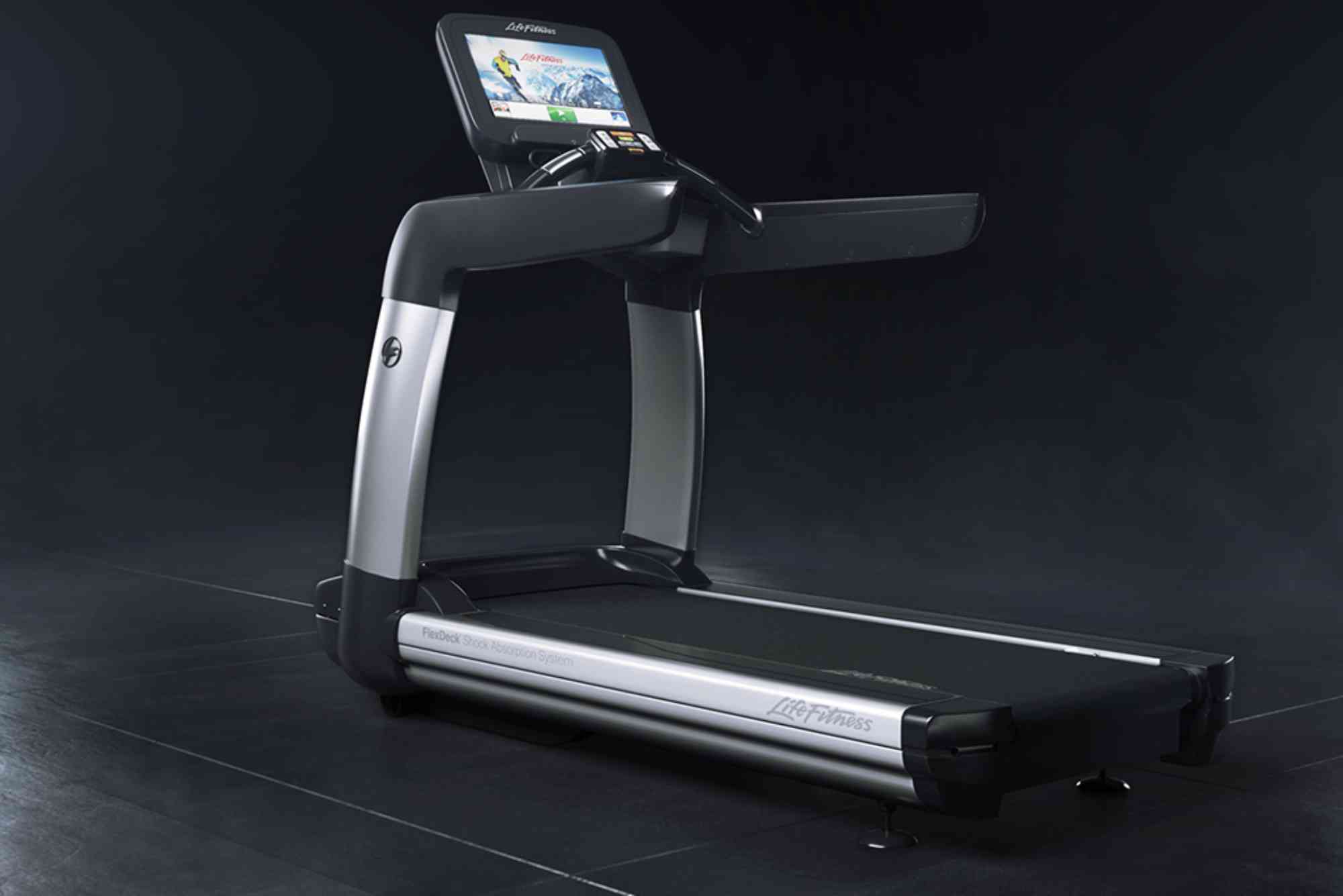
Life Fitness 95T Manager Mode Explained
If you’re managing a commercial gym or simply own a Life Fitness 95T treadmill, understanding the Life Fitness 95T manager mode is crucial. This hidden feature isn’t just for technicians—gym owners, trainers, and fitness enthusiasts can benefit from knowing how it works. In this comprehensive guide, we’ll break down what manager mode is, how to access it, and why it matters. You’ll also learn common functions, troubleshooting tools, and best practices.
Whether you’re looking to customize settings or troubleshoot errors, manager mode gives you powerful control over your equipment.
What is Life Fitness 95T Manager Mode?
The manager mode on the Life Fitness 95T treadmill is a special operational interface designed for advanced user control. It’s typically used by fitness facility managers, maintenance personnel, or trained staff to configure performance settings, view diagnostics, and maintain optimal performance of the treadmill.
This mode is separate from the standard user mode and allows adjustments that aren’t visible during normal operation. Think of it as the control panel behind the scenes.
Why Use Manager Mode?
Accessing manager mode on the Life Fitness 95T isn’t just about technical curiosity—it’s about functionality, safety, and customization. If you operate a gym or maintain a fitness facility, this mode helps:
- Monitor treadmill usage stats
- Reset service timers
- Adjust default speed and incline settings
- Enable or disable certain features
- Access error logs and diagnostics
Manager mode is key to keeping the treadmill in top condition and tailoring it to your fitness center’s needs.

How to Access Life Fitness 95T Manager Mode
Getting into manager mode involves a specific combination of button presses, and while it may vary slightly by model year, the standard method works as follows:
Start by turning the treadmill on. When the “Welcome” screen appears, press and hold the Pause, Clear, and Enter buttons at the same time for several seconds. The screen should shift to a service or manager menu.
If you don’t get access, try holding Pause and Speed Down, or consult the user manual for model-specific variations.
Keep in mind that accessing this menu may void the warranty if used incorrectly, so proceed only if you’re confident or trained.
Navigating the Manager Mode Menu
Once inside manager mode, you’ll see a variety of menu options. While the interface looks minimal, each category can greatly affect how the treadmill operates.
Settings and Configuration
Here you can adjust default incline and speed ranges, set language preferences, or limit maximum speeds for safety reasons. It’s especially useful in public or rehab settings where speed caps are needed.
Diagnostics and System Info
This section displays error codes, motor performance data, and usage statistics like total miles, hours, and sessions. You can also view the firmware version or check if the machine needs service.
Maintenance Tools
Reset service timers after performing routine checks. Lubrication schedules, belt alignment reminders, or fan maintenance alerts can all be tracked here. Regular resets prevent false service alerts and keep your logs clean.
Feature Toggles
You can enable or disable features such as quick start, heart rate monitoring, or audio prompts. It’s useful if certain features are not appropriate for your gym or if you want to simplify the interface.
Custom Workouts
Some versions of the 95T allow you to enable or adjust custom workout programs. Through manager mode, you can pre-configure interval training or cardio profiles specific to your gym’s demographic.
Common Adjustments Made Through Manager Mode
Here’s what gym operators typically change:
- Speed limit: For safety or facility guidelines
- Incline range: To avoid motor strain in certain conditions
- Units of measurement: Switching from miles to kilometers
- Workout duration caps: Useful for time-limited access
- Error code resolution: Clearing past faults or checking recent issues
These changes help adapt the treadmill to its user environment—be it a gym, hotel, or rehabilitation center.
Troubleshooting via Manager Mode
When your treadmill shows an error, like “LS” (low speed sensor error) or “CS” (communication issue), manager mode becomes essential. You can:
- View error logs
- Check component status
- Reset alarms after resolving issues
This reduces downtime by letting you attempt simple fixes before calling for service. However, proceed cautiously—if you’re unsure, always consult Life Fitness support or a certified technician.
Best Practices for Using Life Fitness 95T Manager Mode
While powerful, this mode should be used with care. Incorrect settings can lead to performance issues or safety risks.
Only allow trained staff or technicians to access it. Keep a written log of any changes made. After adjustments, test the treadmill before regular use resumes.
Avoid resetting factory defaults unless you’re troubleshooting a major issue and have backup documentation of preferred settings.
Regularly check diagnostics to anticipate motor wear or belt misalignment before users complain or the machine fails.
Does Manager Mode Require a Password?
Some models may ask for a 4-digit PIN. The default is often 0000 or 1234, but your gym may have set a custom code. If you’re locked out, contact Life Fitness customer support for access credentials.
Changing the PIN is possible through manager mode to prevent unauthorized access.
Manager Mode vs Technician Mode
It’s important not to confuse manager mode with technician or engineering modes. Technician mode typically includes firmware upgrades, system reboots, and calibration tools that should only be accessed by certified Life Fitness engineers.
Manager mode is designed to offer mid-level control—enough to customize and maintain, but not alter core system operations.
Why Mastering Life Fitness 95T Manager Mode Matters
Whether you’re running a gym, managing equipment for a corporate wellness center, or simply own a Life Fitness 95T at home, understanding Life Fitness 95T manager mode gives you valuable control.
You can extend the machine’s lifespan, personalize its operation, and resolve minor issues without external help. It’s a small investment in learning with a big payoff in functionality and cost savings.
FAQs
How do I reset the Life Fitness 95T treadmill?
You can reset the treadmill by entering manager mode, navigating to the maintenance section, and selecting the reset option. Alternatively, a hard reset involves powering off and holding specific buttons while turning the machine back on.
What is the default password for Life Fitness manager mode?
The default password is often 0000 or 1234 unless it has been changed by a technician. If that doesn’t work, contact Life Fitness support.
Can I adjust speed and incline settings in manager mode?
Yes, you can set minimum and maximum speed/incline limits to match your facility’s safety standards.
Why is my Life Fitness 95T showing an error code?
Manager mode allows you to check diagnostics for error codes like LS (Low Speed Sensor) or CS (Communication Error). It also lets you clear resolved alerts.
What is the difference between manager mode and technician mode?
Manager mode allows mid-level control like settings adjustments and diagnostics. Technician mode offers deeper system access and is intended for certified engineers.
Is manager mode safe for home users?
While manager mode is safe when used carefully, home users should stick to basic settings and avoid altering service-related configurations unless trained.


