
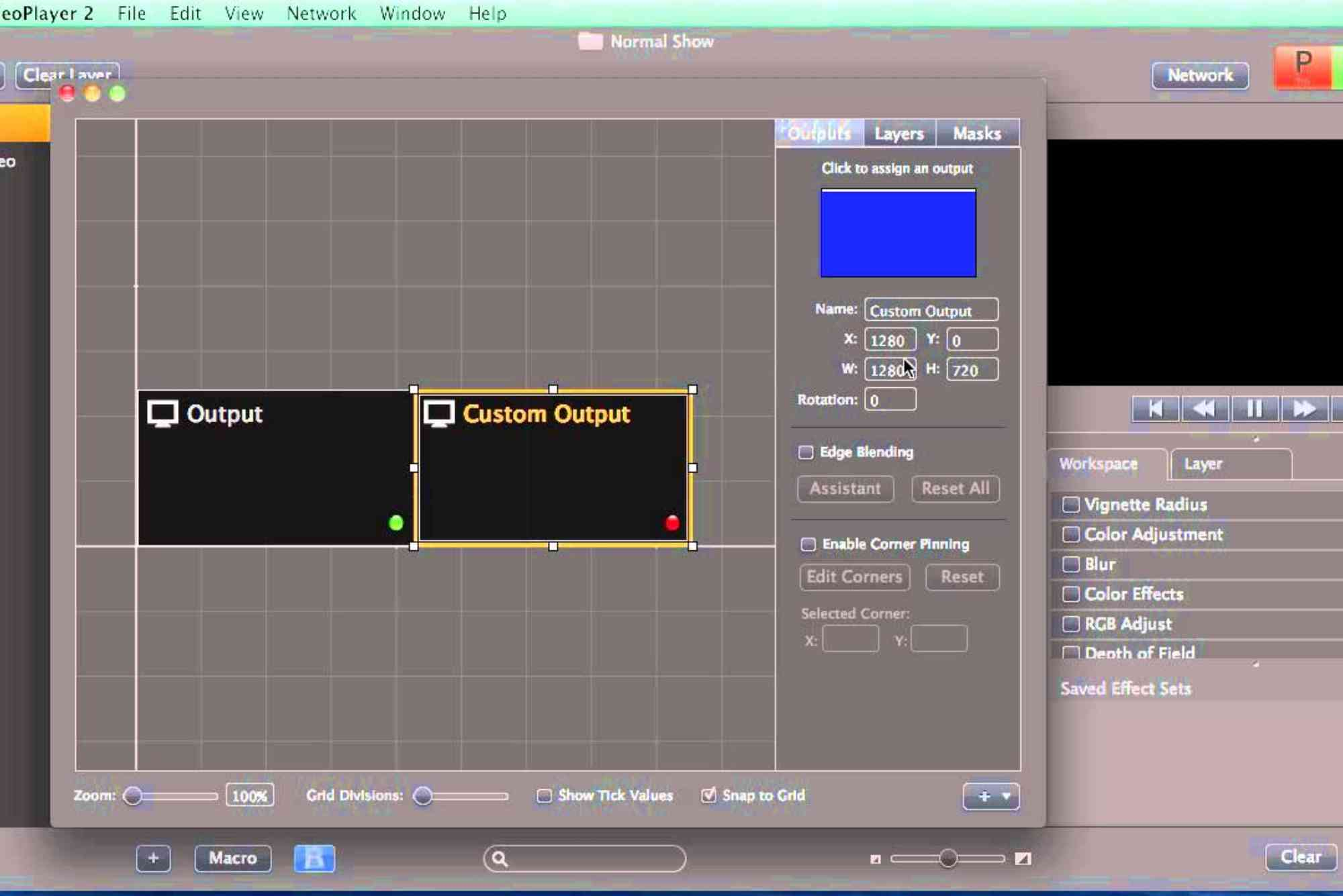
Best Free Edge Blending Software for Video Projection
Creating stunning, seamless visuals across multiple screens is no longer limited to professional studios. Thanks to modern edge blending software free options, anyone can achieve perfect multi-projector alignment and professional-grade visual blending without spending thousands. Whether you are setting up an immersive dome projection, a large-scale event display, or an art installation, free edge blending tools can help you combine multiple projector outputs into one unified, fluid image.
What Is Edge Blending Software?
Edge blending software is a specialized tool used to merge the overlapping areas of multiple projected images into one smooth, continuous display. Without it, the overlap between projectors often creates visible seams or bright lines. The software calculates pixel-level brightness and color adjustments, ensuring the transition from one projector to another is invisible to the viewer.
Essentially, edge blending turns several projectors into one giant virtual screen. This technique is crucial for video walls, panoramic theaters, museums, simulation systems, and immersive environments like planetariums and virtual reality rooms.
How Edge Blending Works
When two or more projectors display overlapping images, the brightness doubles in those overlapping areas. Edge blending software compensates for this by gradually reducing the intensity in overlapping regions, using gamma correction and color calibration. The goal is to make the blended area indistinguishable from the rest of the display.
In modern systems, software tools can automatically detect projector overlap using camera-based calibration. Others rely on manual settings, letting you adjust brightness, color balance, and gamma manually for precise control.
Why Use Free Edge Blending Software?
Professional edge blending systems can cost thousands of dollars, especially those used in corporate installations or theme parks. However, several free tools now offer impressive functionality for smaller-scale setups. Free software is ideal for:

- Independent creators and artists working on projection mapping or immersive visuals.
- Educators and researchers building visualization labs or digital domes.
- Event managers experimenting with multi-projector setups.
- Filmmakers testing panoramic video displays.
Free software helps users explore edge blending concepts before committing to commercial licenses. With the right calibration, many open-source tools can achieve near-professional results.
Best Free Edge Blending Software in 2025
While many professional-grade solutions dominate the market, some powerful free alternatives offer reliable edge blending performance for most users. Here are the top contenders in 2025 worth exploring.
Blendy Dome VJ Free Edition
Blendy Dome VJ is widely used for dome projection and multi-projector blending. The free version supports basic edge blending for small-scale projects. It provides intuitive calibration tools, brightness correction, and real-time video mapping. Although the full version offers advanced automation, the free edition still delivers high-quality performance for artistic and experimental work.
Lightact Free
Lightact is a modern visual server that supports projection mapping and edge blending. The free edition allows users to blend multiple projectors, align images, and control video playback with great precision. Its user-friendly interface is ideal for beginners exploring large-format projections. Lightact also integrates with Unreal Engine and TouchDesigner, offering immense creative potential for 3D and interactive visuals.
TouchDesigner Non-Commercial
TouchDesigner by Derivative is not solely an edge blending software, but its powerful video processing features make it a popular choice. With the Non-Commercial license, users can create custom blending setups using nodes for brightness correction, geometric warping, and real-time alignment. It’s perfect for advanced users who prefer flexibility and customization over pre-built automation.
Warp and Blend by Scalable Display Technologies (Trial/Free Academic)
Scalable Display Technologies offers one of the most precise edge blending systems on the market. Their Warp and Blend software can be accessed through free academic or trial versions. It uses camera-based auto-calibration, ensuring pixel-perfect results. While primarily commercial, the free options are ideal for students or educators learning professional-grade blending.
MapMap
MapMap is a free and open-source video mapping software that supports edge blending and geometric correction. Designed for artists, MapMap allows users to blend projectors seamlessly while managing multiple video layers. It’s lightweight, runs on multiple platforms, and suits installations, theaters, and small event setups.
VPT (Video Projection Tools)
VPT is another free and flexible video projection software that supports warping, masking, and basic blending features. It’s widely used in artistic installations and live performances. Although its interface looks dated, it remains one of the most reliable free tools for projection design.
OpenFrameworks + ofxWarpBlend Add-on
For developers and technical artists, OpenFrameworks combined with the ofxWarpBlend add-on provides deep control over projection blending. It requires some coding knowledge, but it offers unmatched customization. Users can fine-tune edge parameters, gamma, and alignment for advanced installations.
Key Features to Look for in Edge Blending Software
Before choosing a free edge blending tool, it’s essential to consider your specific needs and technical setup. The right software should offer:
- Precision Control: The ability to manually or automatically adjust brightness and color gradients.
- Multi-Projector Support: Compatibility with at least two or more projectors.
- Geometric Correction: Tools for warping and aligning images on curved or irregular surfaces.
- Real-Time Playback: Support for live video inputs and smooth transitions.
- Compatibility: Ensure the software supports your operating system and GPU hardware.
If your project involves curved screens, 3D domes, or non-flat surfaces, look for tools that integrate warping and calibration functions for the best results.
How to Use Free Edge Blending Software Effectively
While each program differs, the basic steps for achieving a seamless blend remain the same.
- Set Up Your Projectors: Position them so the images overlap slightly on the projection surface.
- Calibrate Geometry: Use the software’s geometric tools to align the edges perfectly.
- Adjust Brightness: Lower brightness or gamma in the overlapping zones to balance illumination.
- Fine-Tune Colors: Match the color temperature and contrast across projectors for uniformity.
- Test and Save Settings: Always test your display with moving visuals or color gradients before the final show.
Even free software can produce professional results when paired with good projectors, proper alignment, and calibration patience.
Benefits of Using Free Edge Blending Tools
Free edge blending software offers several benefits beyond saving money. It provides a hands-on way to learn projection technology, experiment with complex visuals, and explore the creative potential of multi-display setups. Artists and educators, in particular, value the freedom of open-source tools that encourage customization and innovation.
Moreover, using free software allows small businesses and event organizers to deliver large-scale immersive experiences without major investment. Many of these tools also have community support, offering tutorials, plugins, and calibration presets that enhance usability.
Common Challenges and How to Overcome Them
While free edge blending tools are powerful, users often encounter a few common issues:
- Visible Seams: Adjust gamma curves and feathering until transitions disappear.
- Color Mismatch: Use color correction tools to synchronize all projectors.
- Misalignment: Ensure projectors are placed symmetrically and stable before blending.
- Performance Lag: Reduce resolution or frame rate for smoother playback.
These issues are common in both free and paid setups and usually resolve with careful configuration.
Future of Edge Blending Software
The future of edge blending software looks promising as AI and machine vision improve calibration accuracy. New tools use automatic camera feedback to analyze and blend projectors within seconds. Free and open-source platforms are also advancing rapidly, with community-driven innovations expanding accessibility for creators worldwide.
As immersive entertainment and projection mapping continue to grow, expect free edge blending solutions to become even more capable, integrating with real-time engines like Unreal and Unity for next-generation visual experiences.
Edge blending is a powerful technique that transforms multiple projectors into a single seamless display. Thanks to modern edge blending software free tools like Lightact, MapMap, and TouchDesigner, anyone can achieve professional-quality results without expensive licenses.
Whether you’re an artist, educator, or event designer, these free solutions open the door to immersive storytelling and stunning visual experiences. Take time to explore, experiment, and calibrate — every project will teach you something new about the art and science of projection blending. Ready to bring your visuals to life? Download a free edge blending software today and start creating seamless, immersive projection experiences that captivate every audience.
Frequently Asked Questions
What is the best free edge blending software?
Lightact Free and MapMap are among the best free edge blending tools in 2025 for beginners and small installations.
Can I blend two projectors without software?
Technically yes, but the result won’t be seamless. Edge blending software is essential for smooth transitions and uniform brightness.
Does Windows have built-in edge blending tools?
No. Windows supports multiple displays but doesn’t include blending or warping features. You need third-party software.
Is TouchDesigner suitable for edge blending?
Yes, TouchDesigner’s Non-Commercial edition allows advanced users to build custom blending systems using real-time nodes.
Do I need special hardware for blending?
No, but using GPUs with multi-display output helps ensure smoother playback and synchronization.


